Put your hands on the work.
A local desk for AI coding sessions, built around the Ulanzi AU05 VibeKey. Turn to navigate, hold to speak, and see exactly which conversation needs you.
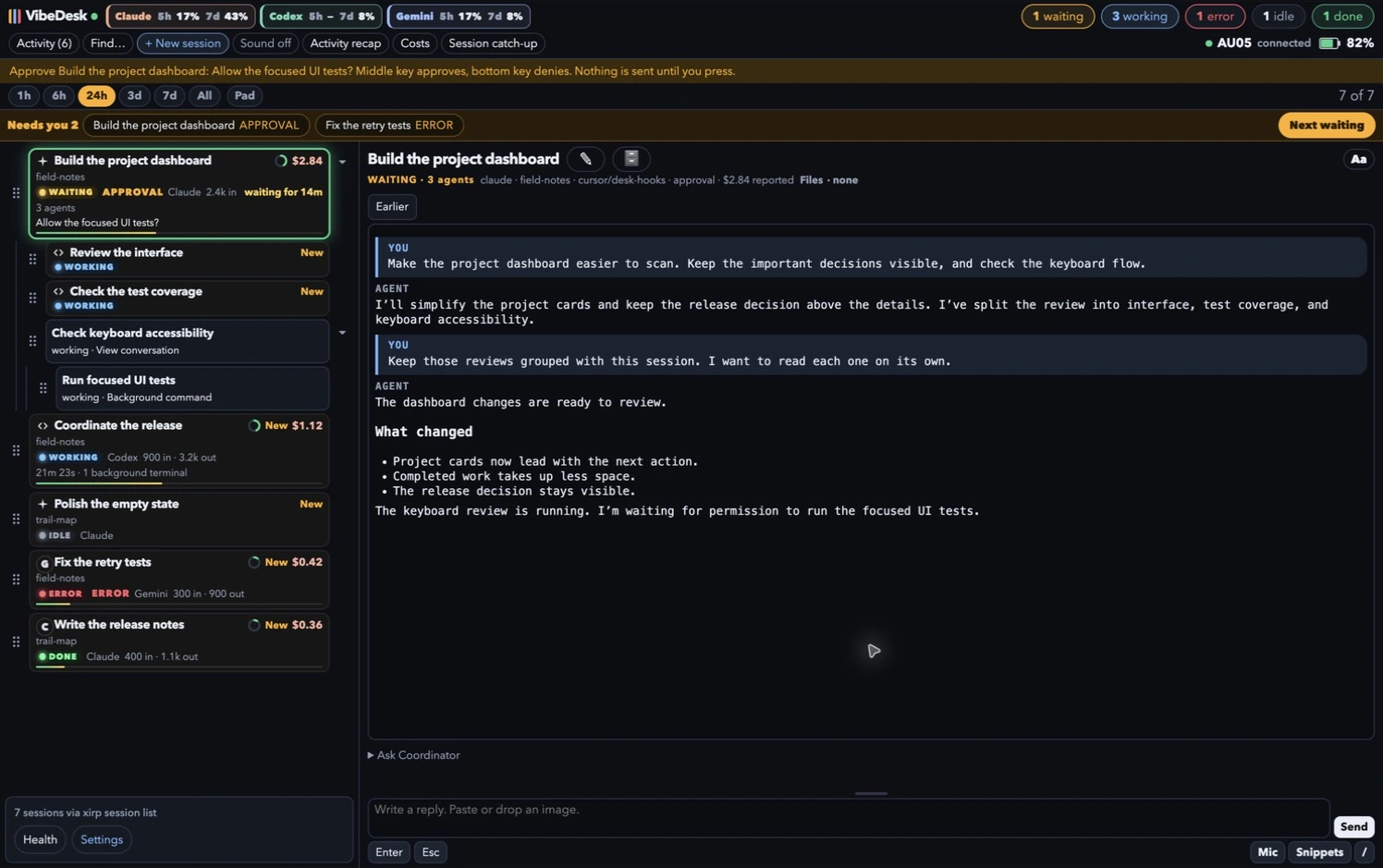
Know which session your next reply or keypress will affect.
Arrange sessions yourself, with children grouped beneath their parent.
Use the knob for sessions, pickers, and conversation scrolling.
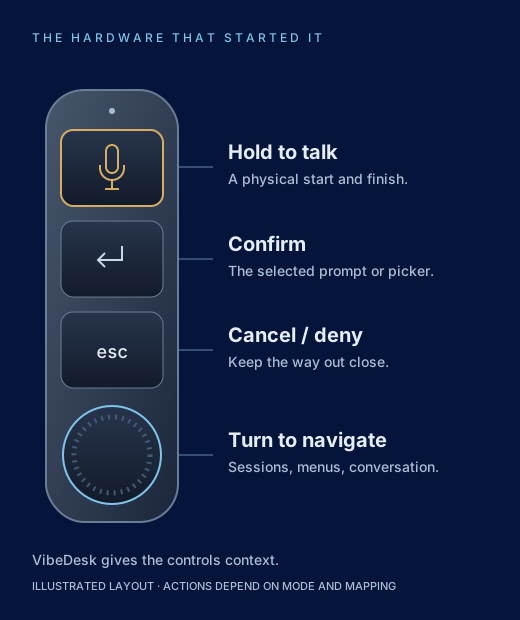
It started with the VibeKey
I wanted a small controller for the repetitive parts of working with several coding agents. VibeDesk connects the AU05 directly to a local service without the vendor’s companion application, then gives its buttons, knob, and microphone a visible place to act.
The browser works without the pad, too. The hardware is what started the project; the desk makes it useful.
Follow the work, then respond
- Sessions and child agents: a stable, draggable list and a separate conversation for the selected agent.
- Attention and history: find waiting work, inspect activity, and read earlier saved messages without losing your place.
- Replies and voice: session drafts, reusable snippets, command discovery, local transcription, and a cancellation window before reply delivery.
- Coordinator: address a chosen local session or the existing Grok Bot connection while reading another conversation.
- Controls and usage: configurable button gestures, conversation-wheel mode, provider visibility choices, and usage details with reporting context.
Built for my desk, honestly presented
VibeDesk is a working tool in daily use and active development, not a generally available download. It runs locally on macOS; coding providers, optional notifications, and bot connections may use outside services. Private phone access can use Tailscale.
The hardware integration grew from community protocol documentation and testing on my own AU05. Device and provider behavior can differ. VibeDesk is independent software from DeValcourt, LLC; Ulanzi makes the controller.
A knob, three keys, and a desk for my AI agents.
The full story explains the hardware work, the decisions behind the interface, and the way I use it today—with screenshots and a narrated walkthrough.